![mousemat.png]](https://fundamentals.theretailscore.com/hs-fs/hubfs/mousemat.png?height=40&name=mousemat.png)
Re-Connecting to the Cube/Pivots
- Log in to the Insights Portal with your email and password.
- If you have forgotten your password please see How to Reset Password
- Navigate to the P4P instructions under the
 icon once in the Insights Portal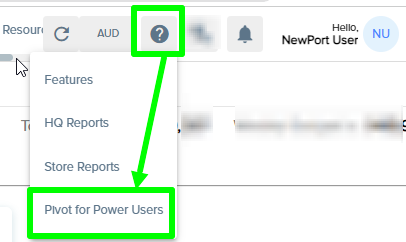
- Follow the outlined steps in the P4P Instructions and update your password where required.
- Specifically - Step 1 (2-4 Updating your Manage windows credentials)
(example from Pivot for Power Users connection page)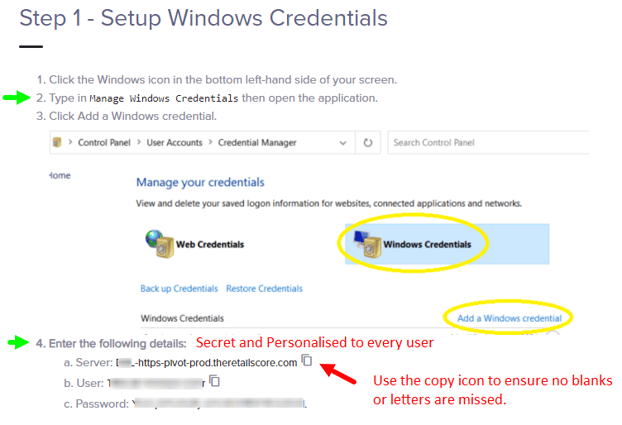
- Specifically - Step 1 (2-4 Updating your Manage windows credentials)
- Download the new ODC files
- Click on the ODC tab location just above Step 1,
This will download both the Prod and Test odc's that will be used to connect to your cube.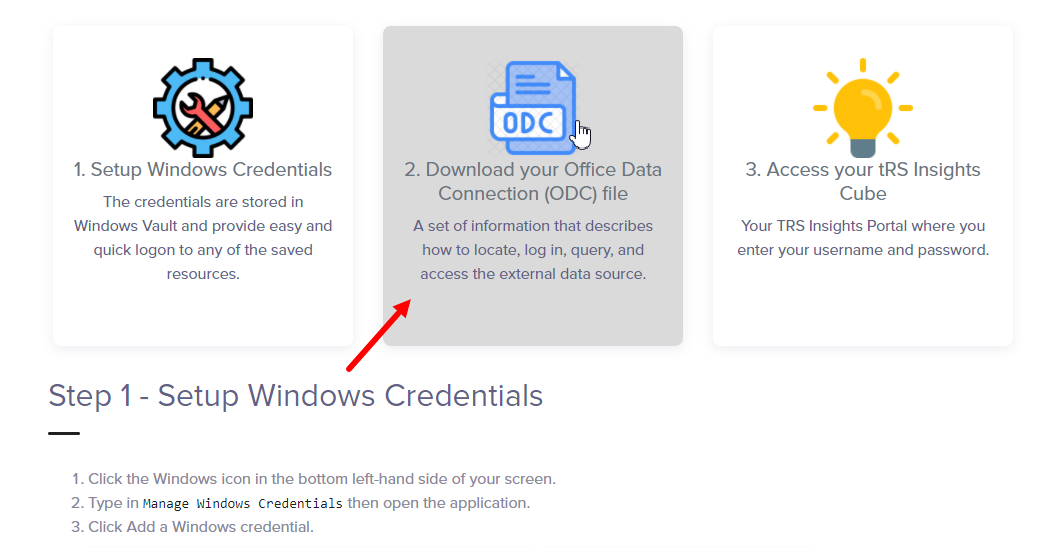
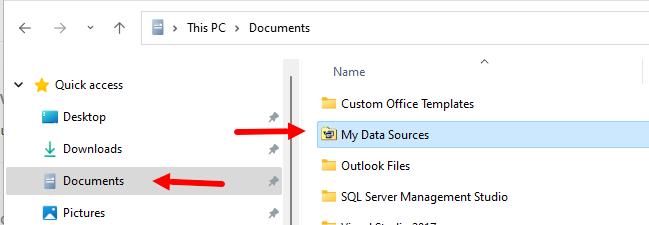
- drag or save these files into your Documents folder or "My Data Sources" folder if it exists.
- Click on the ODC tab location just above Step 1,
- Once completed you should be all set up and ready to connect.
- Open an excel -> Data Tab -> Existing Connections
If missing, please check browse more, and locate the prod odc in your documents folder.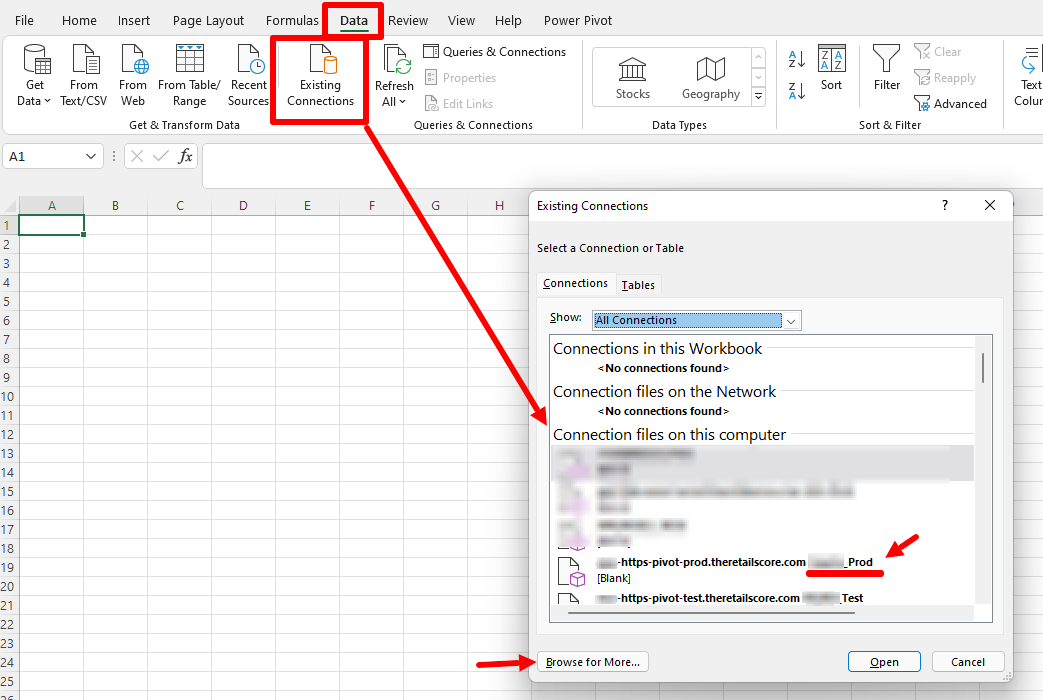
- Open an excel -> Data Tab -> Existing Connections