![mousemat.png]](https://fundamentals.theretailscore.com/hs-fs/hubfs/mousemat.png?height=40&name=mousemat.png)
Pivot Grid V2
- The Pivot Grid V2 has become our primary grid of use throughout our new portal templates.
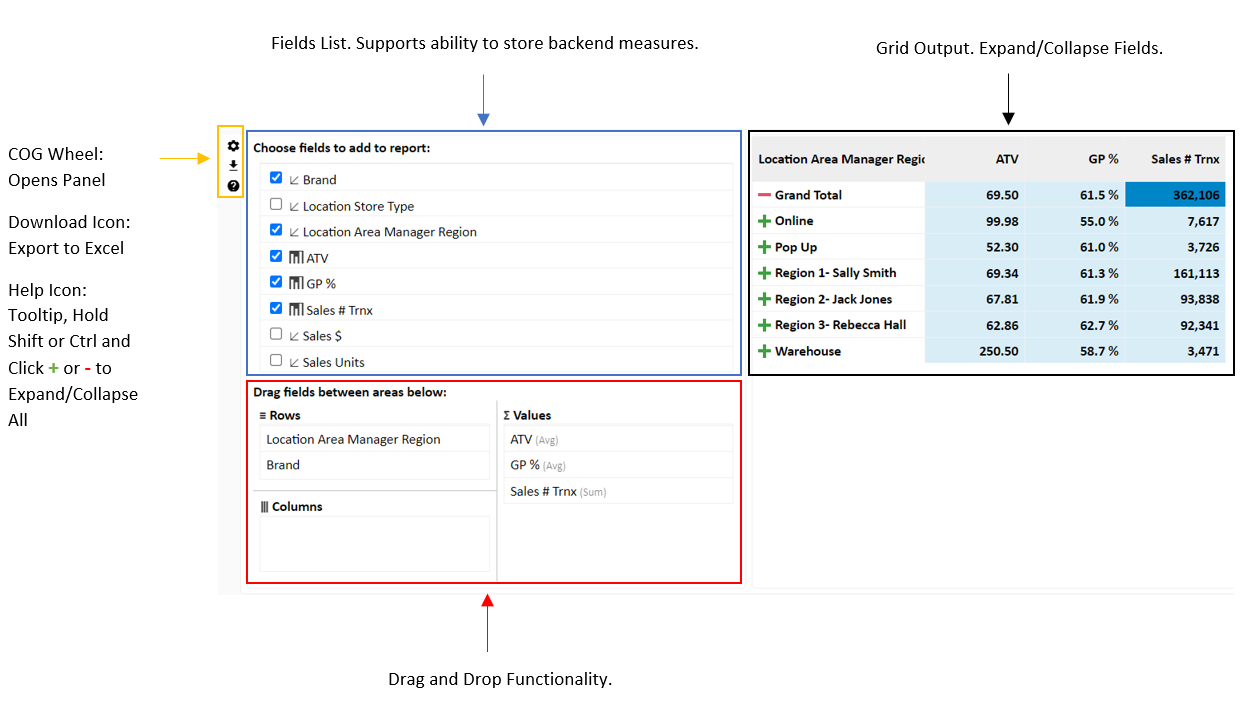
- The Pivot Grid V2 closely represents that of a Pivot Grid in Excel, including a pop-out panel that supports drag and drop (build your own pivot) functionality.
- Hovering over the grid, you will see a COG Wheel that opens/closes the Pivot Panel, a Download Icon that Exports to Excel, and a Tooltip.
- The Grid also supports the ability to store some measures in the backend that won't load into the right output until dragged in.
- Your customized grids can be saved using 'My Views' for the next time you log in.
Collapsed
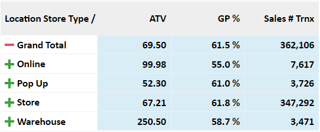
Expanded
Pivot Grid V1
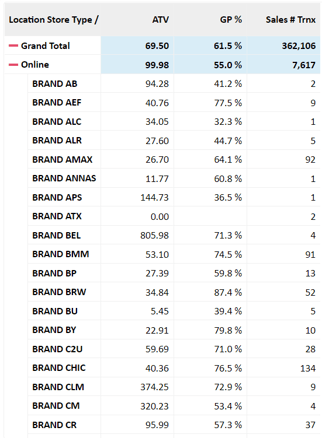
- The Pivot Grid V1 is our first version of the Pivot Grid.
- It simply just supports Expand/Collapse Functionality.
- It is strongly recommended to upgrade to the Pivot Grid V2 above.
Flex Grid
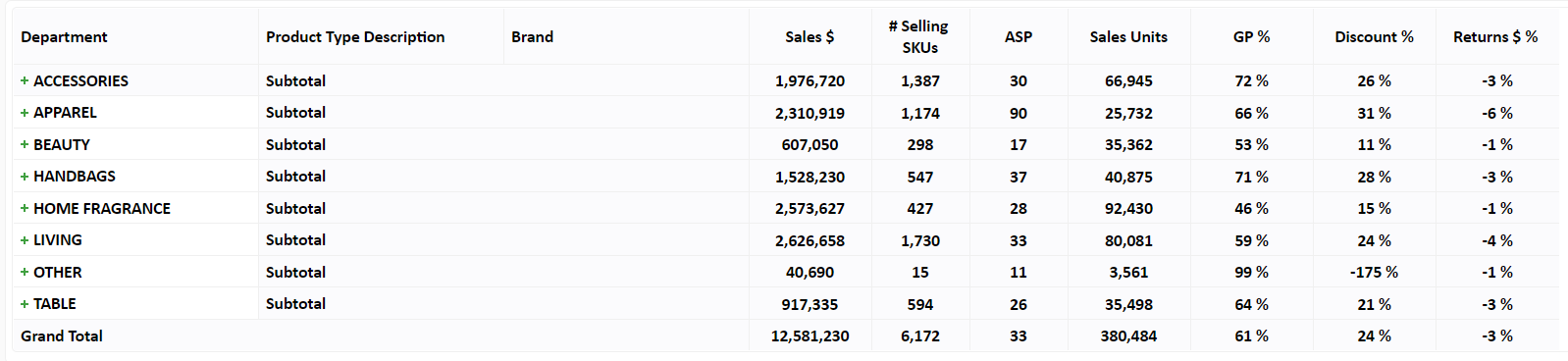
- The Flex Grid is the most used Grid as of 30/08/2021.
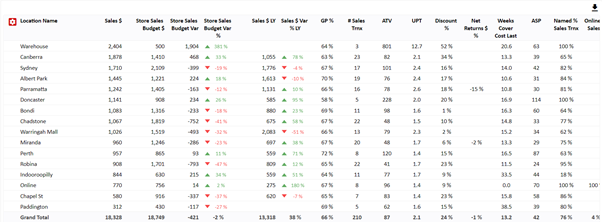
- The Flex Grid is more of a static 'fixed' grid than that of the Pivot Grid.
- Supports Export to Excel Button.
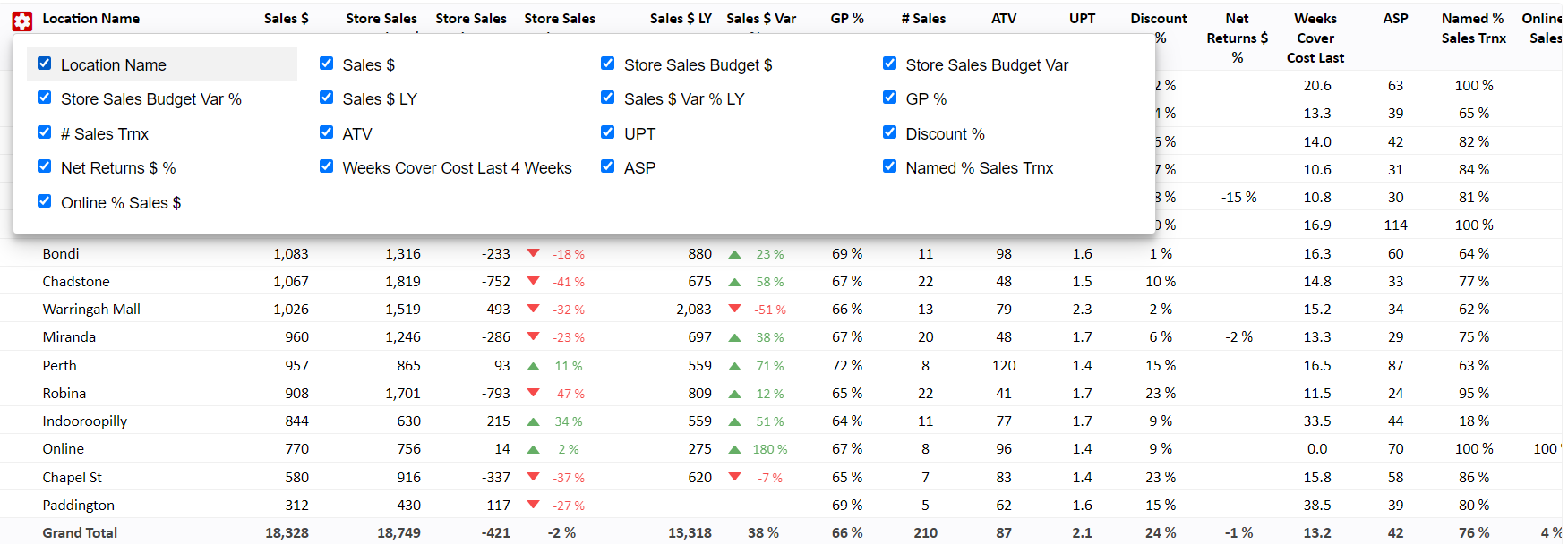
- Supports the ability to trim back measures (COG Wheel) but doesn't support adding and/or storing measures like that of the Pivot Panel.