![mousemat.png]](https://fundamentals.theretailscore.com/hs-fs/hubfs/mousemat.png?height=40&name=mousemat.png)
Most retailers rely to heavily on emails to send out instructions to stores. This leads to thousands of emails a week going back and forth without any efficient means of tracking compliance. Thankfully, with tRS Connect, there is a better way!
Why tRS Connect?
- Communication is key to Retail Operations
- Stores are drowning in email and demands on their time and focus.
- Centralising two way communication in real time via an intuitive portal delivers
- Clearer and more consistent messaging
- Centralised diaries and organised tasks
- Categorised by their source and priority
- Making it easy for stores to know what they need to focus on
- When they need to do it
- Real-time compliance
- Passively track their compliance and watch it improve every day with less follow-up!!
- Get out of the crowded and costly "in-box" approach and adopt a centralised activity management portal.
tRS Connect Structure
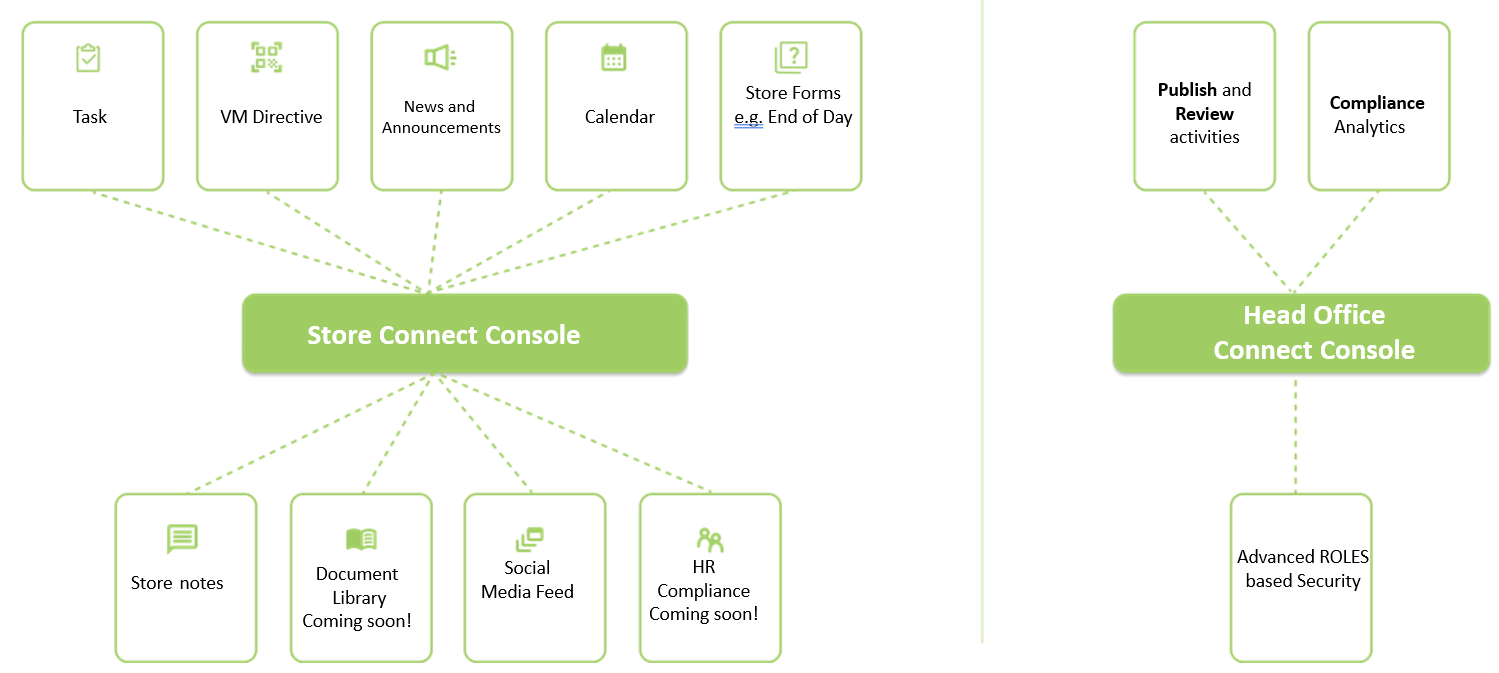
tRS Connect makes it simple to create activities such as:
- Calendar Items
- Announcements
- Tasks
- Store Forms
- HR Documents
- Store Notes
These activities are created and modified by Head Office team members such as
- Retail Operations
- Finance
- Human Resource
- Marketing
- Visual Merchandise
- Management
And then published to stores where they are alerted to their actions
- All stores, or
- Groups of stores, or
- Individual stores
tRS Connect Compliance Measurement
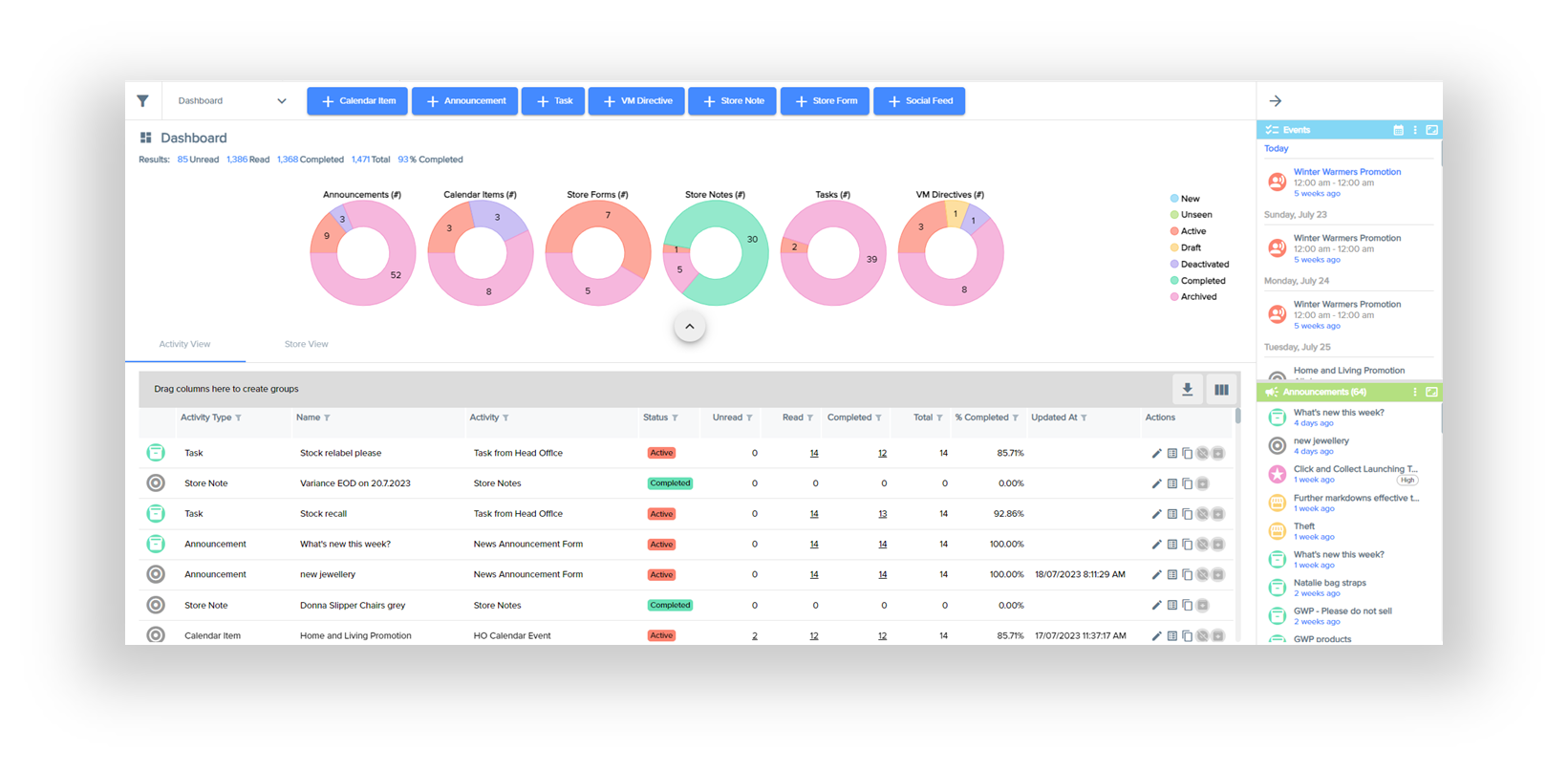
Compliance is measured and reported in real time making it the fastest and easiest way to achieve good store compliance scores across your business without the chase or drowning in emails.
The status of activities and store responses are tracked and reported in real time so by store by activity by activity name, you can see your compliance score or roll this score up to a total across all stores, all activities.
Activities such as Calendar Events or Announcements may simply need to be READ to be compliant where as store forms or tasks might need to be READ and COMPLETED.
tRS Connect Access
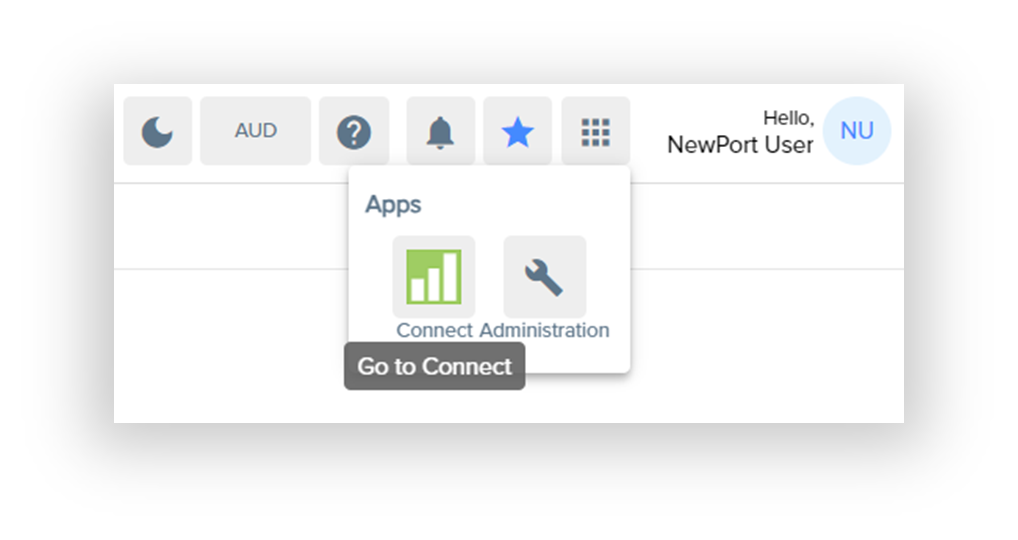
The application can be accessed from the App Icon on your tRS Portal via the green Connect icon.
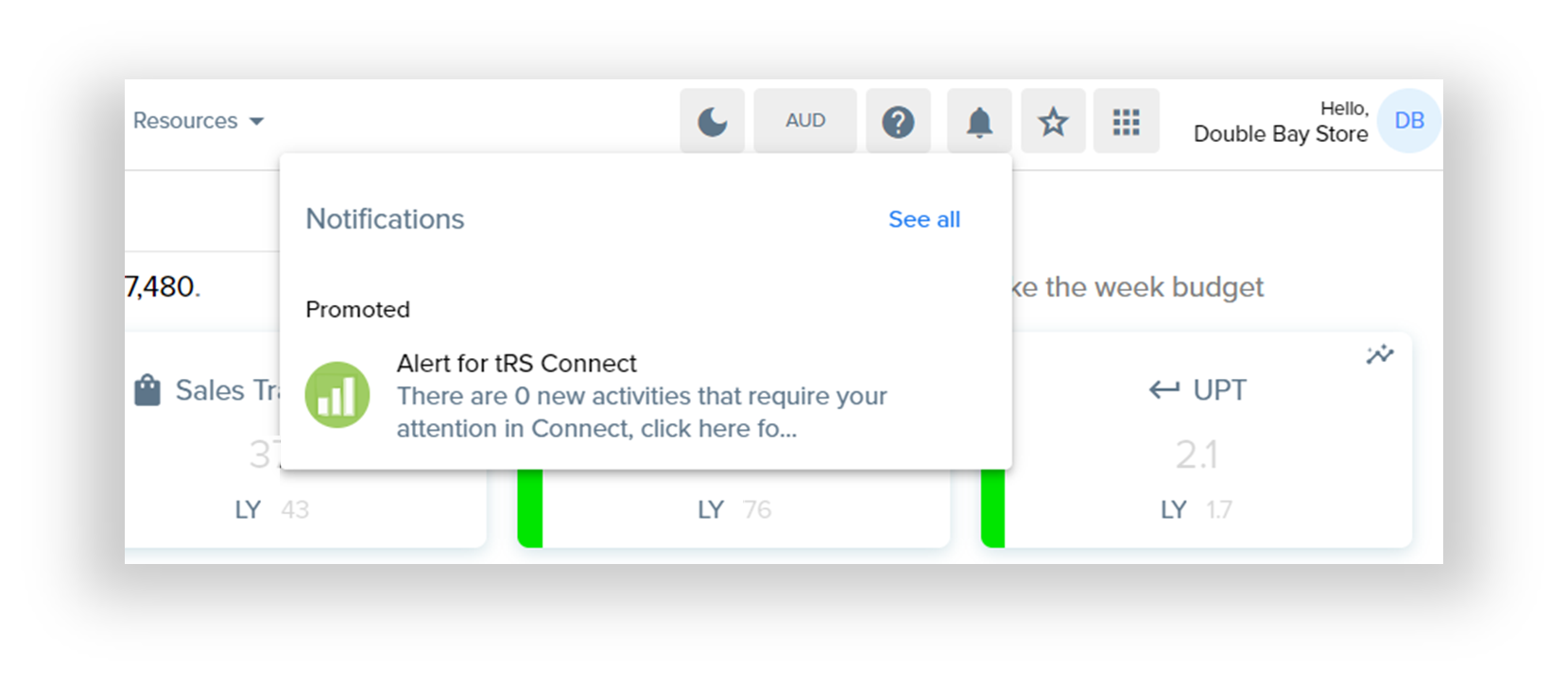
Alternatively, when a store logs into their tRS Store Portal, a notifcations window will alert them to any new activities that have been published for them from head office.
tRS Connect Views:
Read the next articles on the Store Views or Head Office Views that come with tRS Connect.