![mousemat.png]](https://fundamentals.theretailscore.com/hs-fs/hubfs/mousemat.png?height=40&name=mousemat.png)
It is important to be aware that there can be fields with the same (or similar) name in the cube but found under different tables in the cube.
Best Practice
When searching for a field in the cube, select a table under the 'show fields' first to reduce the chance of selecting a field from the incorrect table.
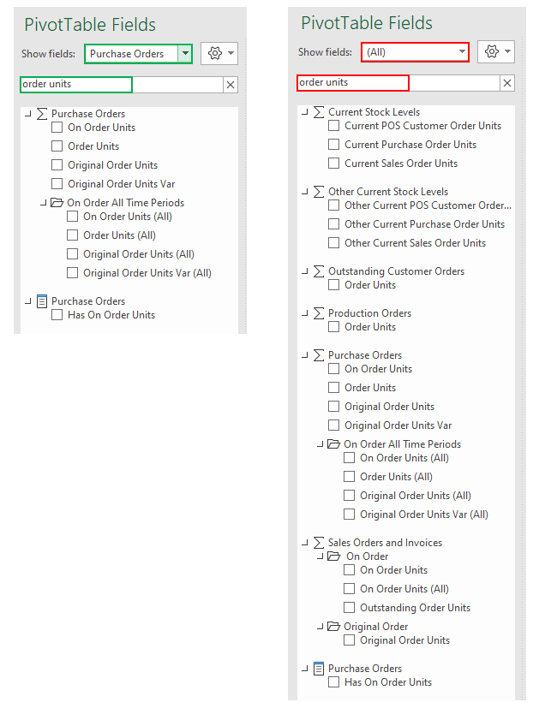
See the below example in green where I narrowed my selection to the 'Purchase Orders' table and searched for 'Order Units' - all results were relevant to Purchase Orders.
In the red example, I did not filter to a table in the cube, but rather searched the whole cube for all field names called 'order units'. The result shows order units under many different tables in the cube such as 'Production Order', 'Purchase Orders' and 'Sales Orders', increasing the risk of selecting the incorrect field.
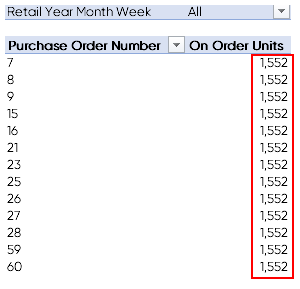
If you were to select a value from the wrong table, or try to display values against attributes which the cube is not mapped to, you will notice the data will repeat or the report will time out.
See the example below.