![mousemat.png]](https://fundamentals.theretailscore.com/hs-fs/hubfs/mousemat.png?height=40&name=mousemat.png)
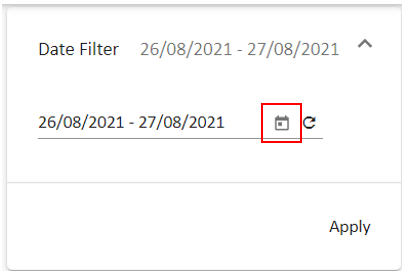
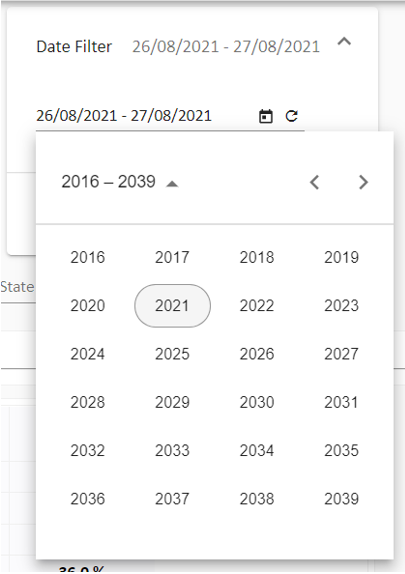
- The Date Range Filter allows a user to select any date (limited to loaded history)
- By default, the Date Filter will select Today and Yesterday
- The Date Range does not link to 'My Views' and will always default to Today and Yesterday
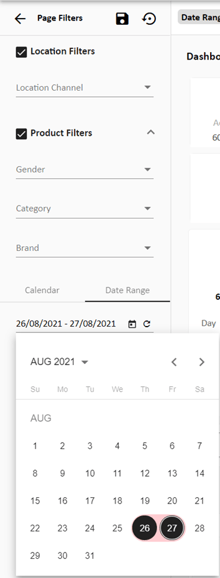
- The Date Range Can either be located on a Page or within the Page Filter Component (Left Hand Pane)
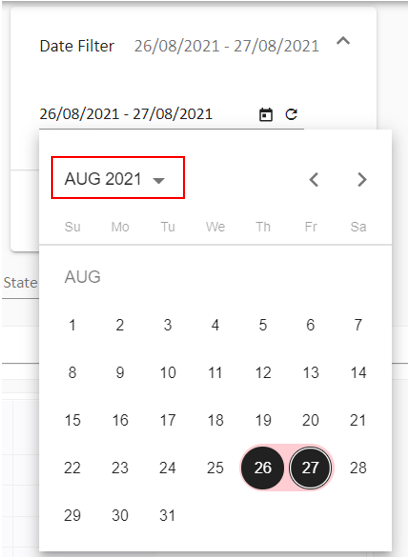
- You can follow the flow of clicks indicated by the red boxes below
Tip: To select a single date - 'double click the single date' then apply

Note: The Same process will apply to the page filter component