![mousemat.png]](https://fundamentals.theretailscore.com/hs-fs/hubfs/mousemat.png?height=40&name=mousemat.png)
Go to the 'Returns' table to view Returns against the original Sales transaction detail.
In this table, a Return is defined as any line in the sales transaction that is negative.
Returns Table can be found here:
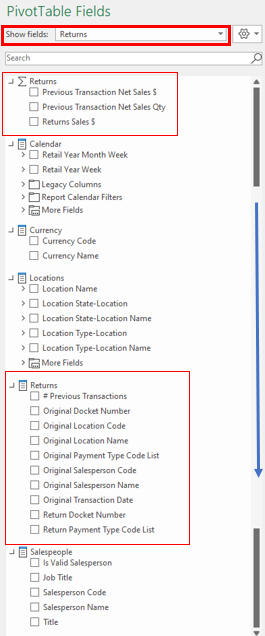
From here you can create a report detailing:
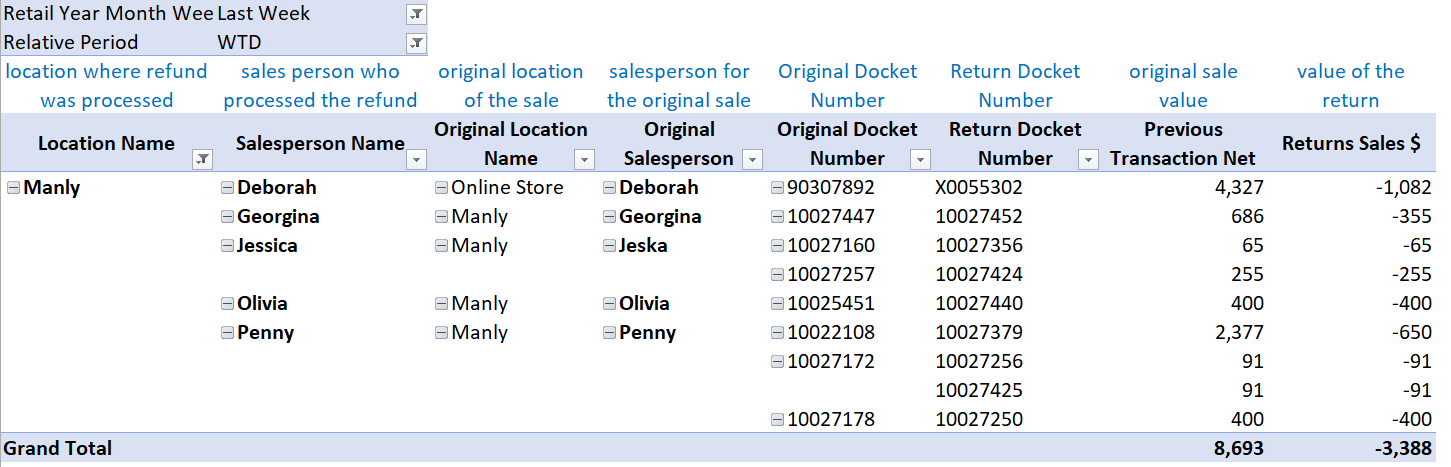
- Return Sales value
- Sales value of the previous sales transaction
- Location:
- where the return was processed
- of the original sale
- Salesperson:
- who processed the return
- of the original sale
- Payment Type
- used in the process of the return
- used in the original sale
- Docket number
- of the return
- of the original sale
- Product detail
- Calendar time
See below report example you can create in this area of the cube.