![mousemat.png]](https://fundamentals.theretailscore.com/hs-fs/hubfs/mousemat.png?height=40&name=mousemat.png)
Outcome: Reveal and send the Admin API access token and Shopify URL to tRS

Background
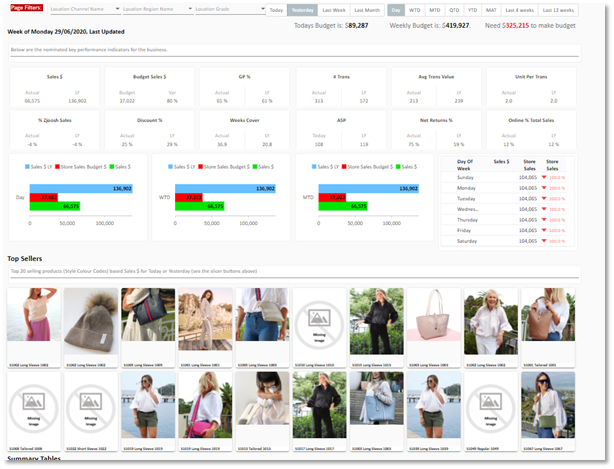
The Retail Score (tRS) requires a feed of each products’ URL from Shopify so we can use this to render images of product and link it to sales performance in your tRS Insights Portal. The access we require from Shopify is limited to READ ONLY within the PRODUCT area of Shopify.
In terms of authenticating with Shopify Private Apps, you can get API Keys (i.e. API Key and Secret Key) by using the Partner dashboard or your Shopify admin panel
The set up process outlined below should take less than 10 minutes.
Steps: Getting keys using Shopify admin panel
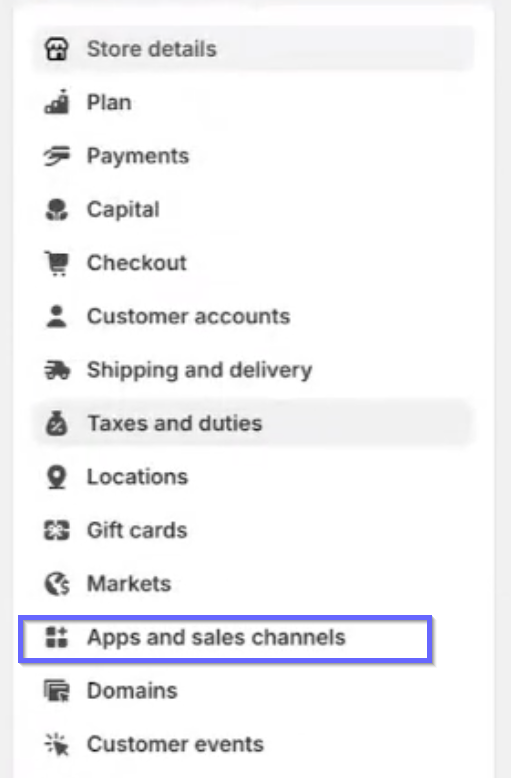
- Log into your Shopify admin panel, go to Apps Menu
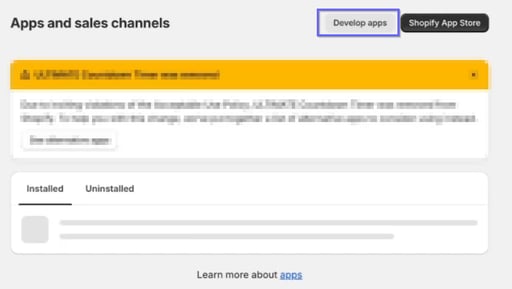
- Scroll down the page and click on Develop apps for your store
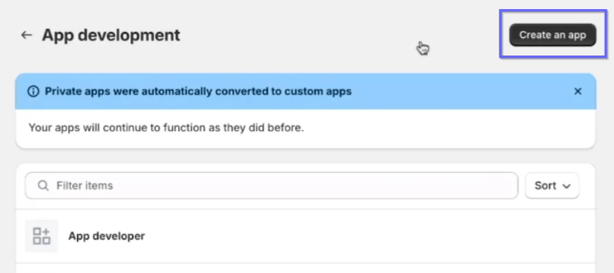
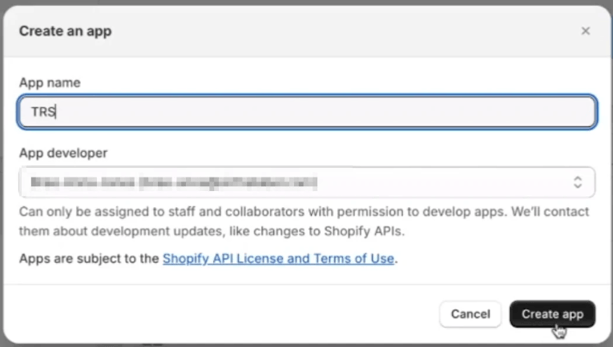
- Click on Create an App and then enter your App name
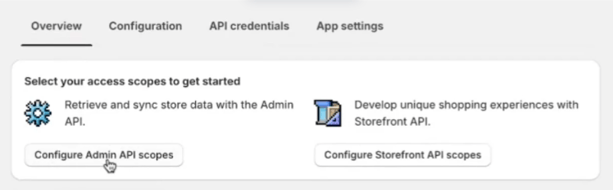
- Click on Configure Admin API Scopes
- In this area, tick all Permissions “Read_….” and “Write_…” (if any)
- Images only needs Products
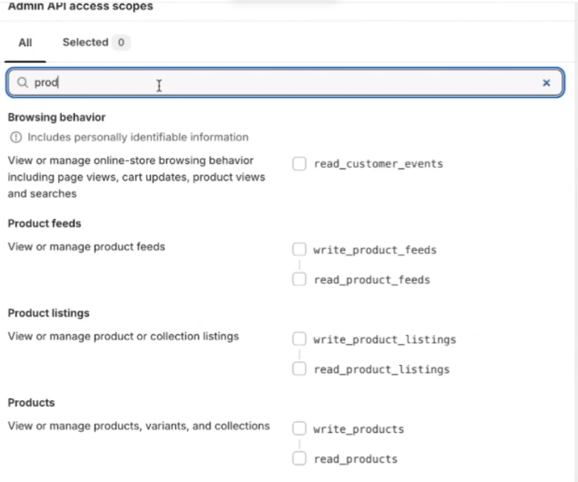
- Images only needs Products
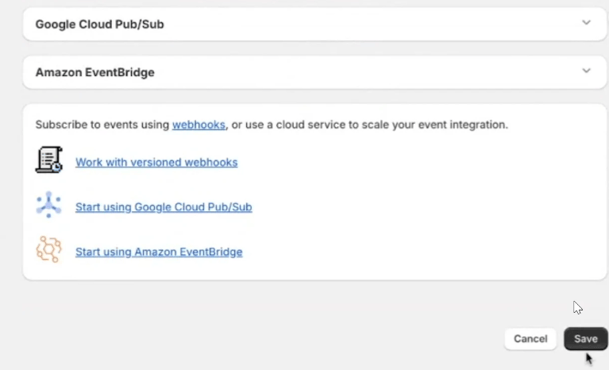
- Click Save App, at the bottom of the page
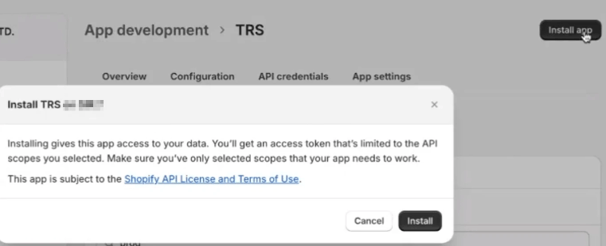
- Scroll back to the top and Install App
-
Once installed, the Admin API access token will appear. Click Reveal token once and save this. We also need the Shopify URL to access your specific version of the API
You can get this from the address bar, copy this and save it with the Token to send to tRS Support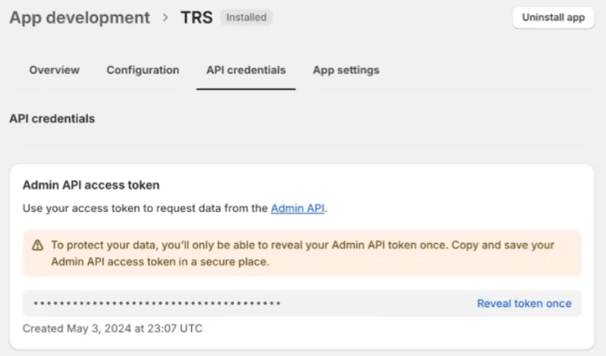
Outcome: Reveal and send the Admin API access token and Shopify URL to tRS
Need Help? If you get stuck or simply are following up on the status of your implementation please email us at
support@theretailscore.com