![mousemat.png]](https://fundamentals.theretailscore.com/hs-fs/hubfs/mousemat.png?height=40&name=mousemat.png)
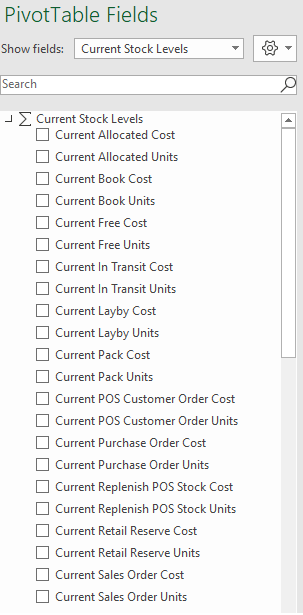
There are 2 means by which you can view your stock information. Select one of the below from the 'Show Fields' drop down box :
- Current Stock Table
- Stock
Current Stock
- Current Stock is as close to live stock as we offer
- it is updated hourly, on the hour - update is completed by about 5 minutes past the hour
- offers more stock field options such as Allocated, Layby, Pack etc...
- Cannot be viewed historically, no matter your calendar selection, the result will only ever be the numbers from the most recent server update.
Stock
- Also referred to as Historical Stock
- Can be viewed against the Calendar down to the day
- Some ERP's such as Netsuite require snapshots to be taken.
- As such, Stock can be viewed daily with snapshots taken at the close of each week to view figures historically.
- Data only updates with the full overnight data load
- Can be broken down by Location, Product, Time and Stock Transaction Type